

For creators with day jobs
Keep recording where you already record.
Studio finds the moments, cuts them into captioned clips, sizes each one for Shorts, TikTok, Reels and X and writes the post text - one upload instead of a stack of tools. You review it and post it.
What do you record?
Or drop a video file here, up to 6 hours
Watch a moment become a Story- No credit card
- Your footage stays yours
- Cancel means cancel
Chapter 1 · The moments
Every recording has moments. Studio finds them.
The line that lands. The answer everyone waited for. The laugh nobody planned. Studio listens to the whole recording and marks the moments worth sharing. In this 14:47 recording, Studio marked 13 moments and made 25 clips: 15 Moments and 10 Stories.
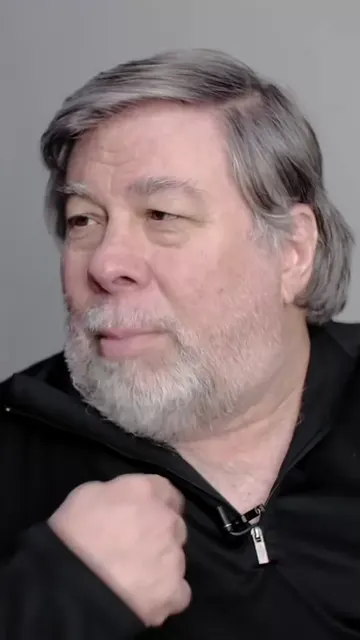
Studio’s noteRocky Raccoon Clark on a Berkeley diploma is an all-timer of a fake-name reveal 😂
Became a Story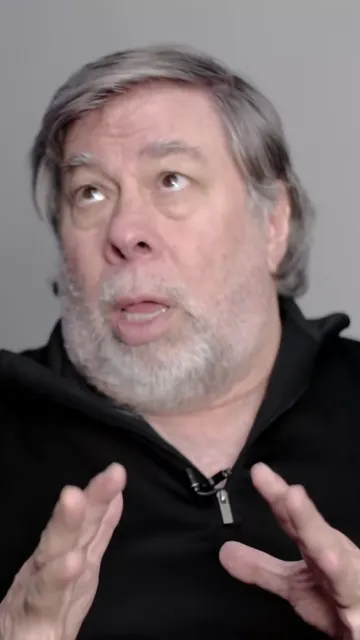
Studio’s noteThe leap from accidental design to kids moving color across a screen is a genuinely great origin story.
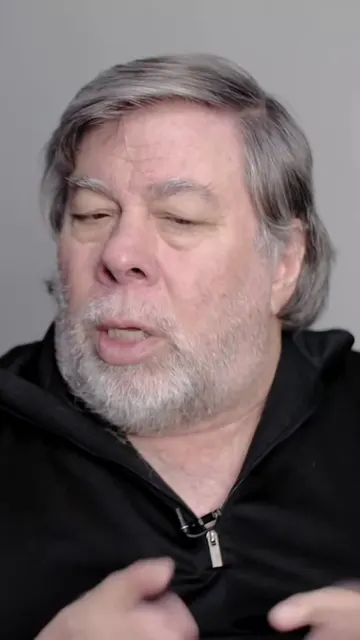
Studio’s noteThat’s a lovely north star for designing a computer - making it teach, not just calculate.
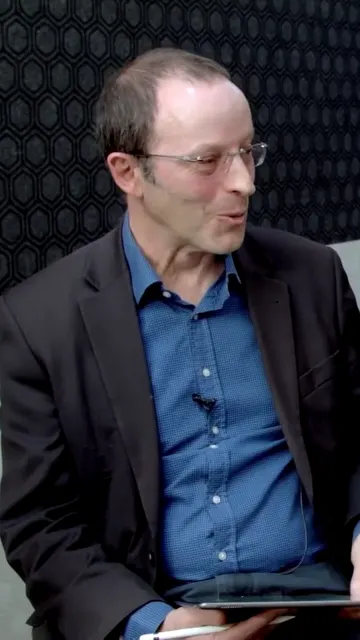
Studio’s noteThe casual Big Bang reveal is a great little flex - delivered like it’s no big deal 😄
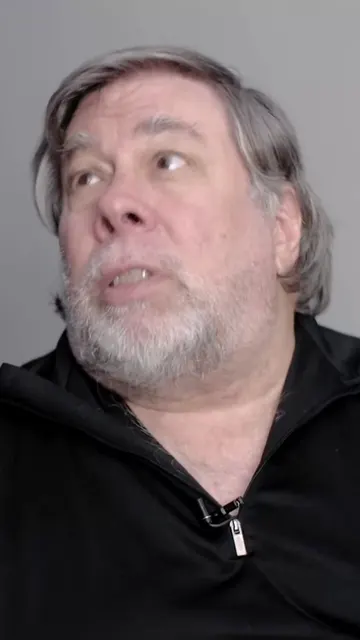
Studio’s noteOpen on the blunt claim that Apple kept its word; the conviction carries this answer.
Ratings and notes exactly as Studio showed them for this recording. A moment without a story stays a Moment: one continuous excerpt, cut cleanly.
Chapter 2 · The story
Some moments have a story behind them. Studio tells it.
… as part of Apple or just Apple? No, no, no. Just on my own, yes. Yes. Spousing views and opinions. More than anything else, I try to inspire young people. That's my main thing. Yes. SetupSo talking of that, I wanted to just talk to you about education first. And you, Steve Jobs, Bill Gates, and others essentially left university before finishing their degrees and started your... And The momentI'm the only one who actually went back. My name was well known by then, so I went back under a fake name and my Berkeley diploma reads Rocky Raccoon Clark. EndingSo I got mine finally. So why did you feel that it was important to finish your degree? You'd already succeeded. I'd been successful but I had never sought business success. I had never sought wealth, money, power. I had only wanted to bring great computers to people as an engineer and I had three years towards an engineering degree done. I only had one more to go and I could could tell my kids I went to college, where I graduated from, that I was proud of, like my father told me. And so what degree did you end up actually getting? Oh, WCS, electrical engineering and computer science, hardware and software. It was an early point in time. Remember, when …
Studio’s review“A memorable anecdote about returning to finish a degree leads to a personal, understandable explanation: the speaker wanted to share that accomplishment with his children and feel the pride his father described.”
“A Freshman Earns an A+ in a Graduate Computer Course”
No arc around it. Stays a Moment.It starts with the moment: the line that makes people stop scrolling.Then Studio reads around it for what makes it land, and steps back in the recording for the setup it needs.It cuts cleanly between words, in the pauses.Setup, moment, ending: a complete arc. No arc, no Story. Some moments stay Moments, and that’s fine.Before it reaches you, Studio reviews the Story on its own, the way a stranger would see it.
5 / 5Chapter 3 · The finish
Then Studio finishes it. Layer by layer.
- SRCinterview-920QAxtook8.webm0:37 → 1:32
- V1Video9:16 around the speaker
- CCCaptionsword by word, in your style
- ZMZooms6 push-ins on emphasis
- A2Musicyour own music kept, nothing added
- TXTPost texta title for every platform
The Story, straight from your recording.Cropped to vertical, around the speaker.Captions on every word, in your style.Zooms where the line lands.Your recording already has music here, so Studio adds none.Titles and post text for every platform.Finished. This is Studio’s actual render.
7 / 7Chapter 4 · Every platform
One Story. A version for every platform.
 YouTube ShortsTop-quality encode
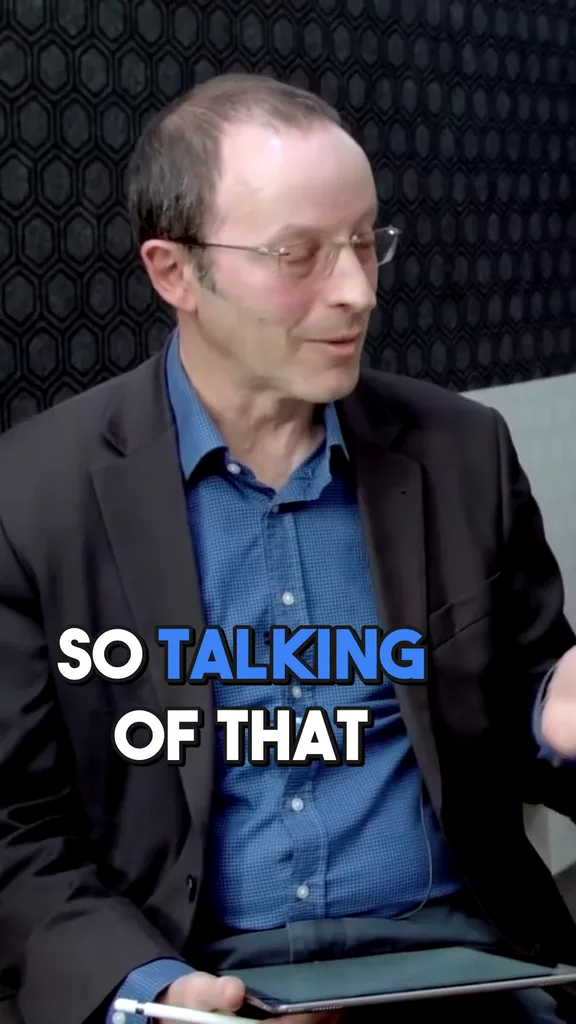
Title 37 / 100 ✓
 TikTokLouder mix
Caption 219 / 2,200 ✓
 Instagram ReelsClear of the Reels UI
Caption 188 / 2,200 ✓
 XCaptions sit lower
Post 183 / 280 ✓
YouTube, YouTube Shorts, TikTok, Instagram, Reels and X are trademarks of their respective owners. Web2Labs is not affiliated with, sponsored or endorsed by them; the names only describe export formats.
From one 14:47 recording
- 13moments foundeach can become a Moment, a Story or both
- 25finished clips 15 Moments · 10 Stories
- 100versions ready to postone per app, each with its post text
- 15creditsone per minute of recording
You still press post.
One finished Story.Four versions, one for each app you post to.Here’s each one inside its app: Studio’s own renders, with captions placed for each app.Every version comes with post text inside the platform’s limit.
4 / 4Complete stories
A clip should make sense on its own. Setup, moment, ending.
You know the other kind: it opens mid-thought, skips the setup and stops before the payoff, and your evening goes to fixing it. Studio cuts by the story, not by the clock.
Cut by the clock · 30 seconds from the moment
I'm the only one who actually went back. My name was well known by then, so I went back under a fake name and my Berkeley diploma reads Rocky Raccoon Clark. So I got mine finally. So why did you feel that it was important to finish your degree? You'd already succeeded. I'd been successful but I had never sought business success. I had never sought wealth, money, power. I had only wanted to bring great computers to people as an engineer and I had three years towards an engineering
- No setup
- Starts mid-sentence
- Stops mid-sentence
Cut by the story · Studio's Story, 0:54
Setup So talking of that, I wanted to just talk to you about education first. And you, Steve Jobs, Bill Gates, and others essentially left university before finishing their degrees and started your... And Moment I'm the only one who actually went back. My name was well known by then, so I went back under a fake name and my Berkeley diploma reads Rocky Raccoon Clark. Ending So I got mine finally. So why did you feel that it was important to finish your degree? You'd already succeeded. I'd been successful but I had never sought business success. I had never sought wealth, money, power. I had only wanted to bring great computers to people as an engineer and I had three years towards an engineering degree done. I only had one more to go and I could could tell my kids I went to college, where I graduated from, that I was proud of, like my father told me.
- Setup included, 15 seconds further back
- Ends on a full sentence
A real lesson as Studio cut it (credits below). The 30-second cut is an illustration on the same recording.
- The setup comes along. When a moment needs context, Studio steps back in the recording to get it.
- Cuts in the pause. Studio starts and ends a clip between words, where you paused.
- No arc, no Story. A moment without a whole story stays a Moment: one clean excerpt. If Studio finds nothing worth delivering, your credits come back.
Made to review, not to rebuild.
Your part
Upload. Watch. Keep what you like.
Drop the file
Upload from Riverside, OBS, Zoom or your phone. Choose a job and see the cost before anything starts. Drafts and uploads are free.
Watch the moments appear
Discoveries show up while Studio works, not behind a spinner. Seen enough? Stop it, and pay only for the minutes that ran.
Review and keep
Change words, styles or cuts in the editor. Then download everything as one ZIP and post it in your own apps.
In the box
And everything around it. Yours to change.
Captions with timing, motion and feeling
Every word timed to your speech. 12 presets or your own Style, three ways to light the spoken word, and the words that carry the line pop. Dynamic captions can give each line its feeling: a pop when you get excited, a box around the line worth quoting.
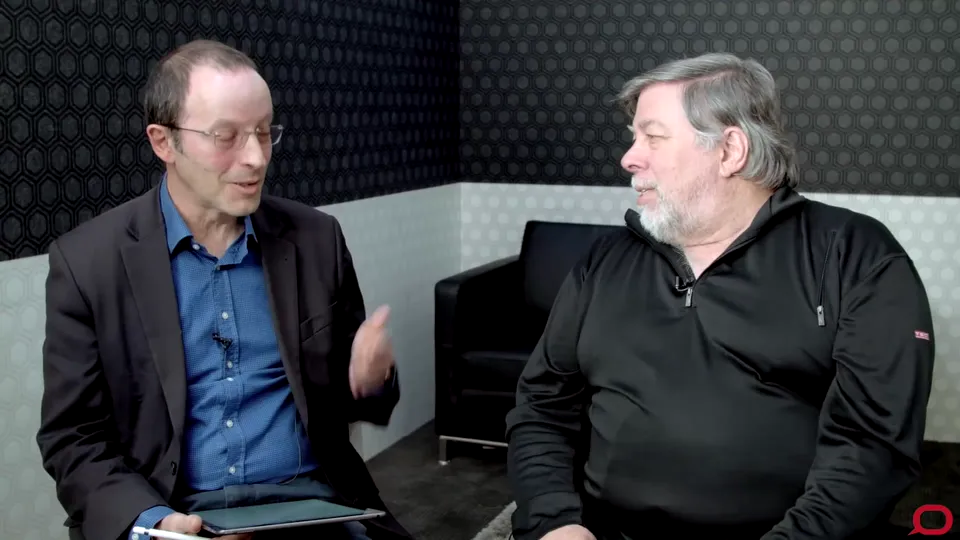
I wanted to just talk to you about education first.
One package, ready to post
Every clip in every version, with captions and post text.
- interview-920QAxtook8-publish-pack.zip
- clips/
- 01_Why_He_Went_Back_to_Finish_His_Degree/youtube · tiktok · instagram · x
- metadata/
- posting.txtpost text for every clip
Your colors, from your channel
Paste your YouTube, Twitch or X channel. Studio suggests your brand colors from its banner and avatar, and your captions can wear them.
education first.
Example channels and colors. Yours come from your own banner and avatar.
Background music
Only where it helps, steady under your voice.
Your words, spelled your way
Add your channel name, guests and product names once. Studio applies them to every transcript.
Without a dictionary
In the studio with me is Catherine Lovies from Parents for Community Living.
With one entry + Katherine Loveys
In the studio with me is Katherine Loveys from Parents for Community Living.
From our podcast example: the same 30 seconds through Studio's transcription, once without and once with the entry.
The full editor, when you want the scalpel
Trim, split, reorder and restyle, or search the transcript for the line you want. You’re never stuck with what Studio picked.
What Studio makes
What your recordings can become. Pick one, or let Studio decide.
The outcomes that fit what you record. Beta outcomes need a recording that matches them, and every result still needs your review.
The fair deal
Pay for the minutes that ran. Not one more.
One credit is one minute of source video, charged chunk by chunk as Studio works. Press stop and watch the meter.
Stopped at 12:00. 12 credits charged. The other 31 minutes are never processed and never billed.
The contract
- 1 credit = 1 minute. Charged per chunk as it processes, never upfront.
- Drafts and uploads are free. The meter starts when Studio does.
- Failed processing refunds itself. The project's credits come back automatically.
- 30-Day Refund Button. Refund your first subscription from your account. No email, no form.
- Top-up credits never expire. Plan credits roll over for two months.
The limits, up front
Dismiss Guarantee: the window closes when a download or publish upload starts. Creating a gift link alone does not close it; opening gift media starts a download. Up to 3 dismissals per rolling 30 days, and up to half of what you spent in that window.
30-Day Refund Button: once per customer, for the first subscription purchase only. Not for renewals, plan changes, a new subscription after a cancellation, additional accounts, the one-time Legend plan or credit top-ups. Once you claim a physical gift like the mug, refunds go through support instead.
A render that fails after processing keeps that charge. You render your saved edit again for free, and if it keeps failing, support refunds the project.
No risk
Try it free. The risk is on us.
€0
Free to start. No card.
60 credits every month and your first export without a watermark. Judge Studio on your own recording.
30 days
Changed your mind? Click the button.
Your first subscription comes with a 30-Day Refund Button in your account. No email, no form.
We bet you won't need it.
The 30-Day Refund Button works once per customer, for the first subscription purchase, within 30 days of it. Not for renewals, a new subscription after a cancellation, the one-time Legend plan or credit top-ups.
Pricing
Same Studio on every plan. Pick how many minutes.
Every plan gets the same moments, Stories, captions, editor and export quality. Free exports carry a watermark after your first one. That's the only feature line between Free and paid.
I am a…
Download finished media within 24 hours of your latest completed work. Source and output media may be removed afterward; project and edit details remain.
Free user
“I have something to share.”
€0 / month
≈ 35 clips a month* in 140 versions for your apps
- 60 credits a month
- About 1 hour of source
- First export without watermark
Starter
“I keep showing up.”
€20 / month
≈ 150 clips a month* in 600 versions for your apps
- 250 credits a month
- About 4 hours of source
- Watermark-free exports
Creator
Recommended“I’m building my channel.”
€50 / month
≈ 350 clips a month* in 1,400 versions for your apps
- 600 credits a month
- About 10 hours of source
- Watermark-free exports
Legend
“I create on my terms.”
€800 once
≈ 5,900 clips in total* in 23,600 versions for your apps
- One-time payment, 10,000 credits that never expire
- About 167 hours of source
- Watermark-free exports
* An example, not a promise: one real 51-minute interview with Auto gave 30 clips (14 Stories, 16 Moments), each with a version for each of 4 apps. The cards apply that rate to each plan's minutes. Your recordings decide the real number, and outcomes other than Auto stop at the number of clips you ask for.
Paid plans can top up from €12 for 100 credits. Purchased credits never expire. All prices are final prices. As a small business under section 19 of the German VAT Act (UStG), we charge no VAT, so none is shown.
Around Studio
Before the moment. After the moment. Web2Labs helps with both.
Studio handles the recording. The rest of Web2Labs helps you find the next idea, sharpen the packaging and grow. Most of it is free.
Before the moment
The moment
You
Record with your usual setup. Nothing changes.
Studio
The moments worth sharing, and their stories
Building your own workflow? The API lets other software send recordings to Studio.
Shipped in public
What works today. What’s next.
I’d rather show you a short list that’s true than a long one that isn’t. This is the only place on the page for what’s still in the workshop.
Live now
- Auto and Q&A for spoken recordings
- More clip and full-video jobs in Beta, for recordings that fit them
- Moments and Stories, with the beats of every Story
- 12 caption presets, or save your own Style
- Versions tuned for YouTube Shorts, TikTok, Reels and X
- Post text for each platform, checked against its limits
- Live discoveries, and stop any time
- Full editor with transcript search
- Background music, B-roll images and covers
- API keys and webhooks for your own tools
- Studio in English and German
- Dismiss Guarantee and 30-Day Refund Button
- Paste a Twitch link instead of uploading a file
In the workshop
- Posting straight to YouTube, TikTok and more
- The Assistant: change a clip by asking
Current version: Studio 2.32.8
Credits
Real recordings. Real Studio output.
The examples on this page come from creators who share their recordings under Creative Commons licences. Studio processed each one through its normal pipeline, and every clip, title and count on this page comes from those runs. These creators are not customers and don’t endorse Web2Labs.
- Interview with Steve Wozniakby ConversationEDU (The Conversation)CC BY 3.0
- Josh Johnson | Blocks Podcast w/ Neal Brennanby Neal BrennanCC BY 4.0
- CKMS Community Connections for 25 October 2024: Katherine Loveys of Parents for Community Livingby Radio Waterloo (participants)CC BY 4.0
- Ep 16 - Chasing waterfalls in Paradiseby Knot Vikings (Christoffer Fredriksson)CC BY 3.0
- ASMR Mangio Macarons e Matcha latteby Chiara ASMRCC BY 3.0
Changes by Web2Labs Studio (October 2026): excerpts, vertical versions, captions, titles and post text, plus zooms and music where a clip shows them.
Gaming demo: our own PUBG session, from an earlier development demo.
Frequently Asked Questions
Got questions? We've got answers
I was spending more time editing than recording. Studio started as the tool I built to get my weekends back. Now it does the same for creators who refuse to choose between their channel and their life.
Your next recording
Your next recording has moments. Let’s find them.
Upload it. Studio finds the moments worth sharing, tells their stories when they have one and gets every version ready for your review.
- No credit card
- Your footage stays yours
- Cancel means cancel