For podcasters with day jobs
Keep recording where you already record. We find the answers worth sharing and tell their stories.
The best answer of the episode is somewhere in minute 47. Studio listens to the whole conversation, and with Q&A it looks for the real question and cuts the complete answer, captioned for every platform. You review each clip before it goes out.
What do you record?
Studio opens with “I am a Podcaster” already picked.
- No credit card
- Your footage stays yours
- Cancel means cancel
Example: “CKMS Community Connections for 25 October 2024: Katherine Loveys of Parents for Community Living” by Radio Waterloo (participants) · CC BY 4.0 · Credits
Chapter 1 · The moments
Every episode has moments. Studio finds them.
The answer everyone waited for. The story your guest finally told. Studio listens to the whole conversation and marks the moments worth sharing. In this 58:15 episode, Studio marked 25 moments and delivered 10 clips: 5 Moments and 5 Stories. Studio held one clip back after checking its finished audio.
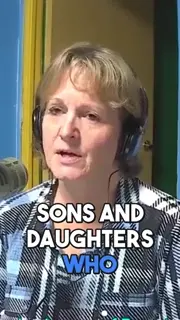
Studio’s note The founders’ vision of people living together by choice, as equal members of the community, really sticks with me—then you show how it grew from three homes to 13 locations.
Became a Story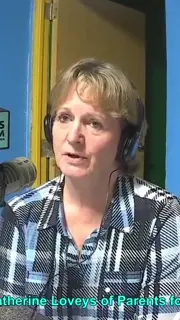
Studio’s note The detail that families can get respite while their children still live at home makes the support feel practical and human. I’d keep that example.
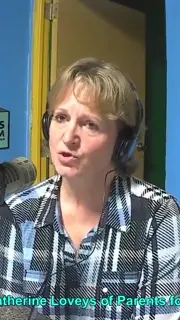
Studio’s note That turn from respite weekends to “we’d have more families if we had enough beds” is striking—just three beds for children with such complex needs. I’d keep that detail in view.
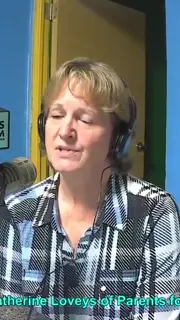
Studio’s note Over 700 adults on a waitlist for a place to live—that number gives the affordable-housing need real scale. I’d keep that detail in focus.
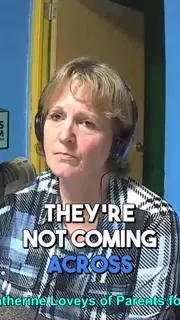
Studio’s note That practical route through Developmental Services Ontario—and the assurance that it connects families to licensed, regulated providers—is a really useful takeaway.
Ratings and notes exactly as Studio showed them for this recording. A moment without a story stays a Moment: one continuous excerpt, cut cleanly.
Chapter 2 · The story
Some moments have a story behind them. Studio tells it.
… In the studio with me is Catherine Lovies from Parents for Community Living. Welcome to CKMS Community Connections. Thanks so much, Bob. It's great to be here. I appreciate the invitation. Very welcome. SetupTell me about Parents for Community Living. What is Community Living and who are the parents? Yeah, Parents for Community Living is an organization that started back in 1986 and was incorporated in 1989 The momentby a group of visionary parents who wanted to see something different for their sons and daughters who are living at home and they wanted to create a community where people live together by their own choice and and participated equally in the community just like you and I do and so a vision was born at that point in time and when I came on board in 1998 there There were three group homes in the community, and now we have 13 locations and an Endingapartment program in consultation with Beyond Housing, which I'll tell you more about a little bit later. But we're a bigger organization now. This is just within Waterloo Region? Yes, within Waterloo Region. And we support individuals with intellectual …
It starts with the moment: the line that makes people stop scrolling.Then Studio reads around it for what makes it land, and steps back in the recording for the setup it needs.It cuts cleanly between words, never in the middle of one.Setup, moment, ending: a complete arc. No arc, no Story. Some moments stay Moments, and that’s fine.Before it reaches you, Studio reviews the Story on its own, the way a stranger would see it.
5 / 5Chapter 3 · The finish
Then Studio finishes it. Layer by layer.
- SRCckms-community-connections-episode-172.mp46:32 → 7:25
- V1Video9:16, centred
- CCCaptionsword by word, in your style
- ZMZooms4 push-ins on emphasis
- A2Musicvoice only
- TXTPost texta title for every platform
The Story, straight from your recording.Cropped to vertical, centred where it matters.Captions on every word, in your style.Zooms where the line lands.No music on this one: voice only.Titles and post text for every platform.Finished. This is Studio’s actual render.
7 / 7Chapter 4 · Every platform
One Story. A version for every platform.
 YouTube Shorts60 fps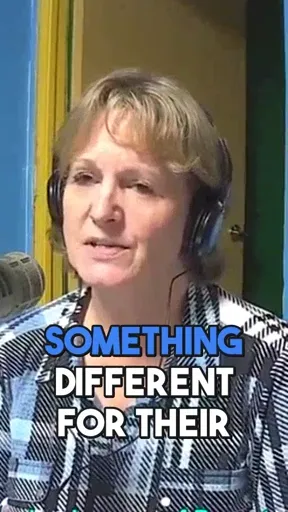
Title 38 / 100 ✓
 TikTokTighter, louder
Caption 250 / 2,200 ✓
 Instagram ReelsTighter crop
Caption 246 / 2,200 ✓
 XOwn layout
Post 181 / 280 ✓
From one 58:15 recording: 25 moments found · 9 finished clips (one more held back by its audio check) · 4 platform versions each · post text for every one · 59 credits. You still press post.
One finished Story.Four versions, one for each app you post to.Here’s each one inside its app: Studio’s own renders, with captions placed for each app.Every version comes with post text inside the platform’s limit.
4 / 4Your part
Upload. Watch. Keep what you like.
Drop the file
Upload from Riverside, OBS, Zoom or your phone. Choose a job and see the cost before anything starts. Drafts and uploads are free.
Watch the moments appear
Discoveries show up while Studio works, not behind a spinner. Seen enough? Stop it, and pay only for the minutes that ran.
Review and keep
Change words, styles or cuts in the editor. Then download everything as one ZIP and post it in your own apps.
In the box
And everything around it. Yours to change.
12 caption presets, or your own Style
Every word timed to your speech. Start from a preset, or save your own Style and use it again.
One ZIP, ready to post
Every clip in every version, with captions and post text.
- ckms-community-connections-episode-172-publish-pack.zip
- clips/
- 01_How_Parents_for_Community_Living_began/youtube · tiktok · instagram · x
- 02_How_to_find_licensed_respite_and_care_services/youtube · tiktok · instagram · x
- metadata/
- posting.txtpost text for every clip
Licensed music
Background music that steps aside when you talk.
The full editor, when you want the scalpel
Trim, split, reorder and restyle, or search the transcript for the line you want. You’re never stuck with what Studio picked.
Jobs
Jobs for your episodes. Pick one, or let Auto decide.
The jobs that fit what you record. Beta jobs need a recording that matches them, and every result still needs your review.
See all 19 jobs
The fair deal
Pay for the minutes that ran. Not one more.
One credit is one minute of source video, charged chunk by chunk as Studio works. Press stop and watch the meter.
Stopped at 12:00. 12 credits charged. The other 31 minutes are never processed and never billed.
The contract
- 1 credit = 1 minute. Charged per chunk as it processes, never upfront.
- Drafts and uploads are free. The meter starts when Studio does.
- Failed processing refunds itself. The project's credits come back automatically.
- 30-Day Refund Button. Refund your first subscription from your account. No email, no form.
- Top-up credits never expire. Plan credits roll over for two months.
The limits, up front
Dismiss Guarantee: the window closes when a download starts. Up to 3 dismissals per rolling 30 days, and up to half of what you spent in that window.
30-Day Refund Button: once per customer, for the first subscription purchase only. Not for renewals, plan changes, a new subscription after a cancellation, additional accounts, the one-time Legend plan or credit top-ups. Once you claim a physical gift like the mug, refunds go through support instead.
A render that fails after processing keeps that charge. You render your saved edit again for free, and if it keeps failing, support refunds the project.
how we keep the deal
Two promises. In writing.
We won't bury these in the footer. Plain-language commitments on how we handle your footage and what happens if you hate the result.
30-DAY REFUND BUTTON
Don't like it? Click the button.
Your first subscription has a real refund button in your account, live for its first 30 days. If Studio doesn't save you hours, you shouldn't pay for it.
- §1 · No forms, no email
- One click in your billing settings. No reason required, no retention call, no cancellation flow designed to wear you down.
- §2 · Back on your card in days
- Refunds return to the card you paid with within 5–7 business days. We do not hold the money as credit unless you ask us to.
- §3 · Free tier stays open
- Your account does not disappear. Your projects stay visible, your free tier keeps working - pick it back up whenever. The plan credits from the refunded month go back with it; credits you bought separately stay yours.
- §4 · The limits, up front
- The window runs 30 days from the day your first subscription started - an upgrade keeps that original date. The button can be used once per customer, for that first purchase only: not for renewals, a new subscription after a cancellation, the one-time Legend or credit top-ups. And once you claim a physical gift like the mug, refunds run through support instead of the button.
RECORDING SAFETY
Your footage stays yours.
- §1 · Encrypted at rest
- Your raw uploads sit encrypted on our storage. Never public-readable, never indexed, never exposed to the network.
- §2 · Never used for training
- Your recordings are not training data. Not for our models. Not resold. Not reviewed by another human for any purpose outside running your job.
- §3 · One-click delete
- Hit delete on a project and the raw file leaves active storage. A retention window applies for billing disputes, then the bytes go.
Pricing
Same Studio on every plan. Pick how many minutes.
Every plan gets the same moments, Stories, captions, editor and export quality. Free exports carry a watermark after your first one. That's the only feature line between Free and paid.
Free
€0 / month
- 60 credits a month
- About 1 hour of source
- First export without watermark
Starter
€20 / month
- 250 credits a month
- About 4 hours of source
- No watermark, priority rendering
Creator
Most popular€50 / month
- 600 credits a month
- About 10 hours of source
- No watermark, priority support
Legend
€800 once
- One-time payment, 10,000 credits that never expire
- About 167 hours of source
- No watermark, priority support
Paid plans can top up from €12 for 100 credits. Purchased credits never expire. All prices are final prices. No VAT is charged under the German small-business rule (§ 19 UStG).
Around Studio
Before the moment. After the moment. Web2Labs helps with both.
Studio handles the recording. The rest of Web2Labs helps you find the next idea, sharpen the packaging and grow. Most of it is free.
Before the moment
The moment
You
Record with your usual setup. Nothing changes.
Studio
The moments worth sharing, and their stories
Building your own workflow? The API lets other software send recordings to Studio.
Shipped in public
What works today. What’s next.
I’d rather show you a short list that’s true than a long one that isn’t. This is the only place on the page for what’s still in the workshop.
Live now
- Auto and Q&A for spoken recordings
- More clip and full-video jobs in Beta, for recordings that fit them
- Moments and Stories, with the beats of every Story
- 12 caption presets, or save your own Style
- Versions tuned for YouTube Shorts, TikTok, Reels and X
- Post text for each platform, checked against its limits
- Live discoveries, and stop any time
- Full editor with transcript search
- Licensed music, B-roll images and covers
- API keys and webhooks for your own tools
- Studio in English and German
- Dismiss Guarantee and 30-Day Refund Button
- Paste a YouTube or Twitch link instead of uploading a file
In the workshop
- Posting straight to YouTube, TikTok and more
- The Assistant: change a clip by asking
Current version: Studio 1.24.2
Credits
Real recordings. Real Studio output.
The examples on this page come from creators who share their recordings under Creative Commons licences. Studio processed each one through its normal pipeline, and every clip, title and count on this page comes from those runs. These creators are not customers and don’t endorse Web2Labs.
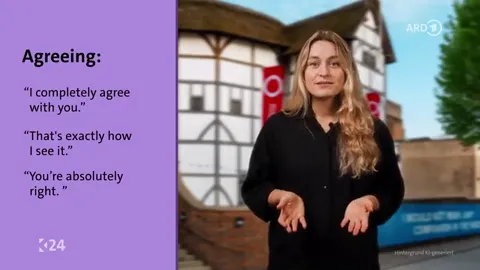
- Basic Speaking Skills (kolleg24 Englisch, Folge 31)by BR / kolleg24CC BY-SA 4.0Clips made from this recording are shared under CC BY-SA 4.0.
- CKMS Community Connections for 25 October 2024: Katherine Loveys of Parents for Community Livingby Radio Waterloo (participants)CC BY 4.0
- Ep 16 - Chasing waterfalls in Paradiseby Knot Vikings (Christoffer Fredriksson)CC BY 3.0
- ASMR Mangio Macarons e Matcha latteby Chiara ASMRCC BY 3.0
Changes by Web2Labs Studio (October 2026): excerpts, vertical versions, captions, titles and post text, plus zooms and music where a clip shows them.
Gaming demo: our own PUBG session, from an earlier development demo.
Frequently Asked Questions
Got questions? We've got answers
I was spending more time editing than recording. Studio started as the tool I built to get my weekends back. Now it does the same for creators who refuse to choose between their channel and their life.
Your next episode
Your next episode has moments. Let’s find them.
Upload it. Studio finds the moments worth sharing, tells their stories when they have one and gets every version ready for your review.
Studio opens with “I am a Podcaster” already picked.
- No credit card
- Your footage stays yours
- Cancel means cancel