
AI
This content was generated by AI without human review.How the Visual Director decides where the camera goes
A vertical clip keeps less than a third of a wide video. Real footage shows how the Visual Director picks that third, and where it still gets it wrong.
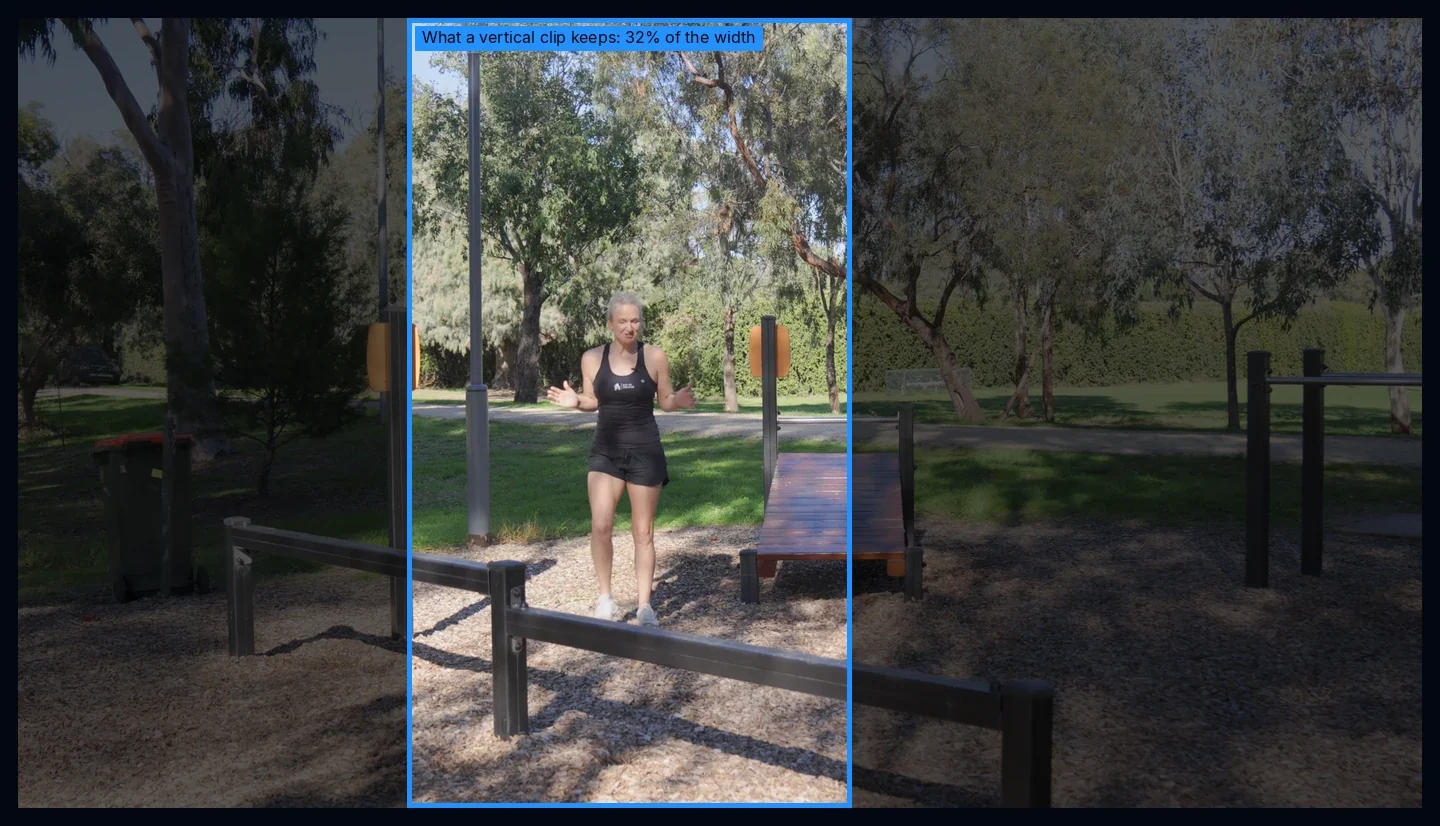
Every vertical clip Studio cuts from a wide video throws away more than two thirds of the picture. A 9:16 frame cut out of a 16:9 video is only 32 percent as wide. Which 32 percent you keep decides whether the clip works, and making that call is the whole job of the Visual Director.
Why following a face is not enough
The first vertical crop in Studio followed your face. For a talking head that is all you need, and it still runs underneath everything as the safe fallback.
But a lot of good moments are not about a face. Hands showing a product. A presenter and the screen next to him. Someone lying on a bench doing an exercise. A crop that only looks for faces cannot see any of that, so it keeps a nice, centered face and cuts off the part that made the moment worth clipping.
The Visual Director looks at the whole picture before it decides where the frame goes. In this post I show what it does on real footage. The footage comes from Creative Commons videos, credited at the end. The 9:16 clips are the Director's own output, rendered by its code on one of our machines. On the 16:9 side you see what it noticed and where it put the frame.
It looks before it cuts

For every shot in a clip, the Director takes sample frames and works out what is going on: who is in the picture, what they are doing, and which parts have to stay visible for the moment to make sense. Each of those parts comes back as a box with a role: a person, a face, hands, the object being used, or an on-screen graphic. Some boxes are required, others are only nice to have. It also writes one plain sentence about what is happening, which you can see along the bottom of these examples.
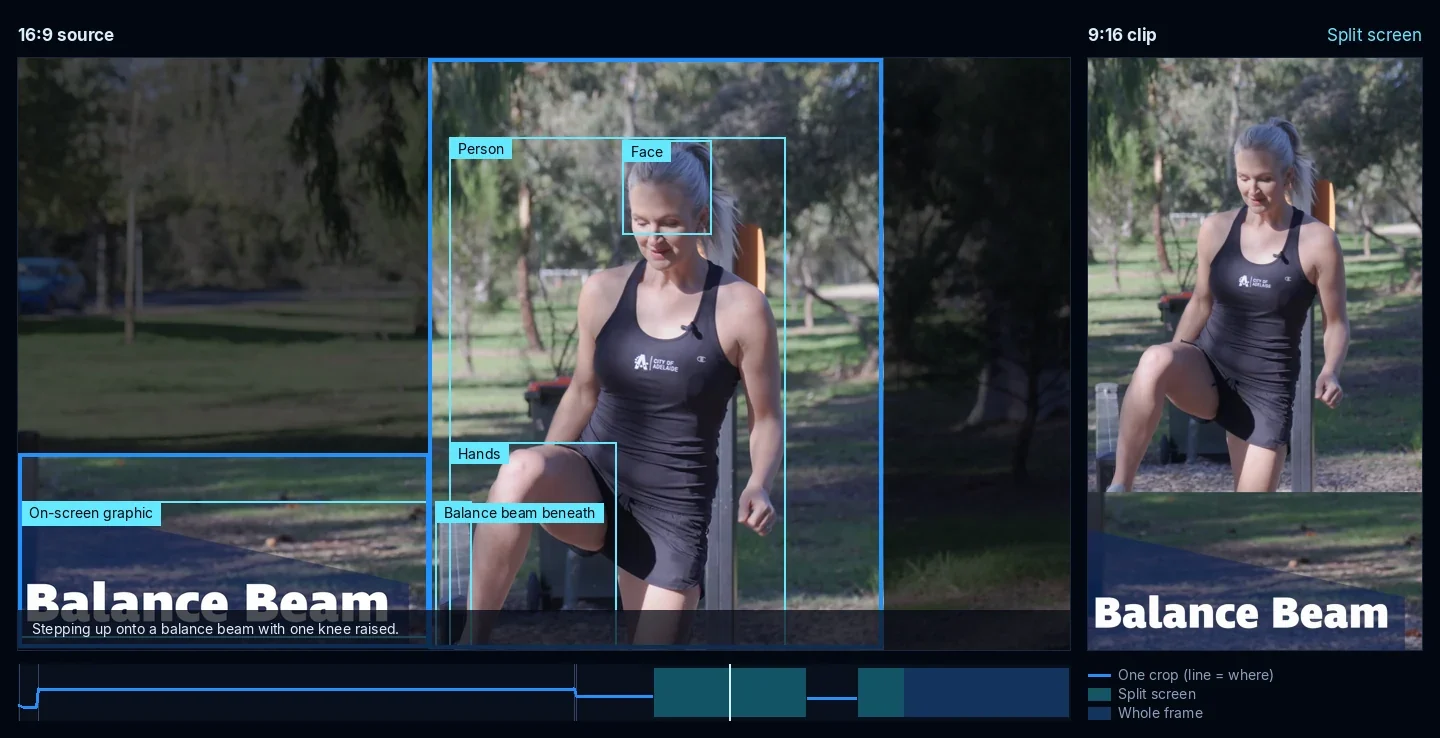
Between two samples it does not guess. A tracker follows each marked region from frame to frame, so when the subject moves, the frame knows where it went.
One crop, two views, or the whole frame
Once it knows what has to stay visible, the Director picks one of three layouts for each moment.
- One crop, when everything required fits into one vertical frame.
- Split screen, when two different things matter at the same time and sit too far apart for one crop: you and the product you hold up, a presenter and the monitor showing his picture, two people reacting to each other. Your face always goes on top, and it never cuts one person into two panels.
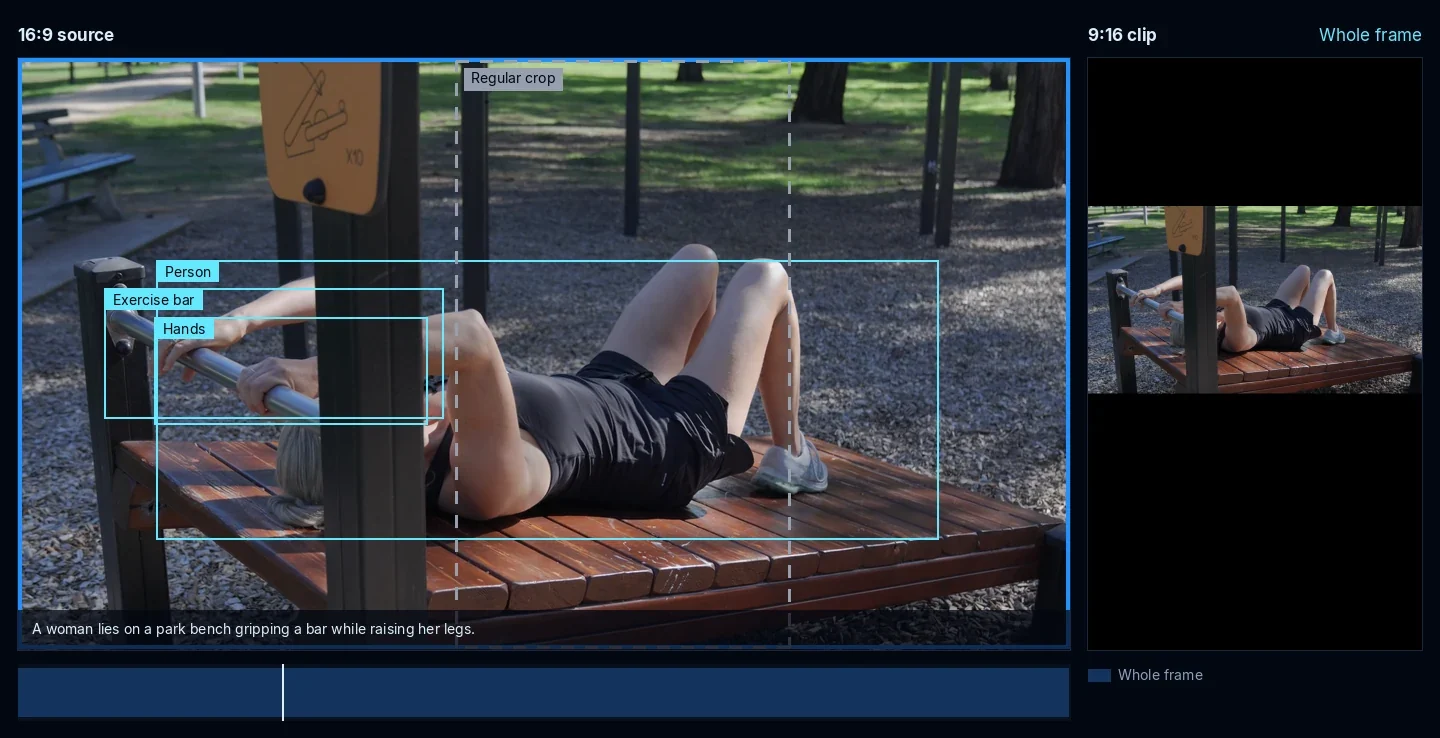
- The whole frame, when the action itself is wider than a phone. Then any crop would cut something off, so it keeps the full shot and adds bars above and below.

A single clip can use all of this. Here the instructor walks up to the beam in one still crop. When the video's own "Balance Beam" title appears in the corner, the Director stacks her above it instead of cutting the title in half. When the video cuts to a close-up of her stepping onto the beam, the crop goes to her feet, because that is where the action is.
The split screen earns its place when a picture really has two subjects. In this show-and-tell about old broadcast cameras, the presenter lifts a studio camera and points it at himself, and the monitor on his desk shows the live picture. A single crop would have to choose between the two. The Director keeps both.
And when nothing narrower would work, it keeps everything:
If you never want split screens, open Tune the Clips, find Motion and turn off Split-screen views. Every clip then keeps one crop.
A camera that holds still
A good camera operator does not twitch. The Director plans the camera path for each whole shot before the clip renders. While the subject fits, the frame holds perfectly still. When it has to move, it glides at an even speed with a soft start and a soft stop. It never moves across a cut, and after a move it holds for at least a second before it moves again.
You can see it in the balance beam clip: through the whole walk-up, the frame does not move once. It only changes where the shot or the layout changes.
This is the part we measured hardest. When we rebuilt the camera in October, we ran it over a fixed set of 17 test clips. The share of frames where the camera stands still went from 69 to 96 percent. Camera moves dropped from about 16 per minute to about one. Abrupt jolts went from 543 to zero. And on the same test material, the parts that had to stay visible were in frame more often than with the old camera, not less.
When it does nothing
Most of a talking-head video is someone talking. Talking with your hands is not an action that needs a new camera, and the Director knows that. In the balance beam clip, its notes say the instructor "appears to be talking or gesturing" and it leaves the framing alone. A camera that moves for no reason is worse than one that does not move at all, so doing nothing is one of the things it is built to do well.
Two more things you will not see, but that matter:
- If something goes wrong, for example a source it cannot follow frame by frame, the clip renders with the regular crop. The Director never blocks a clip.
- Render the same clip again and you get the same camera. It reuses what it noted the first time instead of looking again.
- It does not cost extra credits. It is part of how Studio renders every clip.
Where it still gets it wrong
It is not perfect, and I would rather show you a miss than pretend there are none.
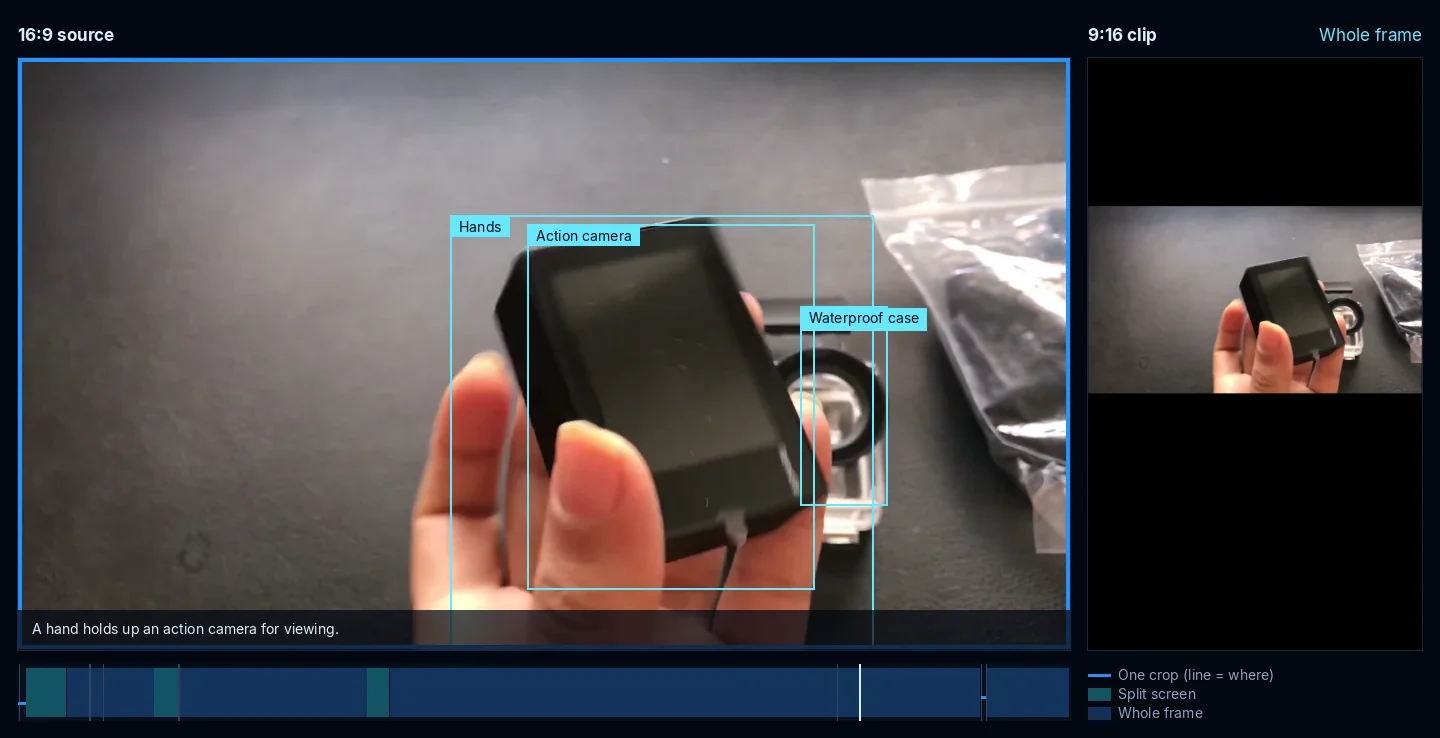
On this unboxing it treated the case on the table as something that had to stay visible, so it kept the whole frame for most of the clip. The product ended up small. Choosing between "keep everything" and "crop tighter and risk cutting something off" is the hardest call it makes, and this is the one we are working on next.
Two more limits today:
- It works on clips, not on your full-length video.
- Gaming keeps the source frame. When Studio finds a facecam, it uses the facecam layout instead.
A bug we found while writing this
While preparing these examples, we found that since our October 23 release the Director had been stepping aside on every clip, and your clips got the regular crop instead. A speed-up in how Studio cuts clips used an encoder setting the Director's frame tracking did not accept yet, so it played safe and handed over. That is fixed now. The examples in this post show the Director working as intended.
Footage used in this post
- "How to use the free City of Adelaide Park Lands fitness equipment (outdoor gym)" by City of Adelaide, via Wikimedia Commons, CC BY 3.0
- "Show and Tell: Pro Cameras" by Cathode Ray Dude, via Wikimedia Commons, CC BY 3.0
- "Unboxing Eken H9R 4k action camera also giving a review" by Maisha's Travel And food vlog, via Wikimedia Commons, CC BY 3.0
We cut short excerpts, reframed them with the Visual Director and drew the boxes, labels and timelines on top. None of the creators shown here uses or endorses Web2Labs.